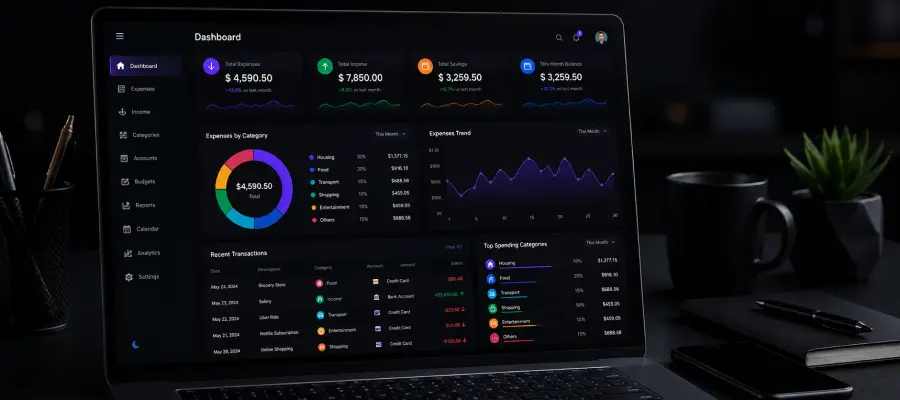
The management of your expenses goes beyond simply recording your monthly expenditures. By using reliable Expenses Management Software, you can review your spending habits over the entire year and make more informed choices. These tools let you log expenses, organize them by category, and create detailed reports automatically, saving valuable time and reducing manual effort. Analyzing annual trends helps you spot unnecessary spending, set better budgets, and boost your savings.
This method is particularly valuable for businesses, since accurate expense tracking can improve profits and foster growth. Financial management software also supports smarter investment planning and helps maintain financial stability. Manual methods often result in mistakes, but digital tools ensure precision and give you clearer insights into your finances. Xorbeo simplifies expense management with automated tracking, approval workflows, reporting dashboards, receipt organization, financial visibility, and efficient business cost control processes. Xorbeo Pricing offers cost-effective expense management solutions featuring automation, approval systems, reporting tools, financial tracking, and scalable operational efficiency for businesses.
In today’s fast-paced world, managing expenses can quickly become overwhelming. From tracking daily spending to analyzing monthly budgets, keeping finances in order requires clarity and consistency. Xorbeo is a smart, intuitive expense management software designed to simplify this process. Whether you’re an individual aiming to control personal spending or a business seeking better cost tracking, Xorbeo offers powerful tools and real-time insights to help you monitor, organize, and optimize your expenses with ease and confidence.
Choosing the right software can make managing your money simpler and put you in greater control. If you’re looking to enhance your financial planning, reach out to us. Xorbeo help you choose the best software and support you in managing your finances with confidence and ease.
Release Date : 01.01.2026
Version 1.0.0
Dashboard
On the page, you can enter the amount, expense name, and date. After saving the data, the total expenses for the current month will be displayed in a table, sorted in descending order by month.
In the Expense Dashboard, view the latest some expense records, and click See All to display all expense data.
Expense List
On the page, you can add a new expense name and manage its visibility using a dropdown to select Show or Hide. You can also delete the expense if needed.
Expense Chart
By plotting your monthly expenses on a clear, well‑labeled chart, you can quickly identify spending trends and anomalies. A line chart works best for showing how total expenses fluctuate over time, highlighting upward or downward trends. If you want to compare individual months, a bar chart provides a side‑by‑side view of each month’s spending.
Expense History
In the Expense History, display the list of expenses from the last 10. Clicking the “See All” button will show all expense data.
To delete any incorrect data from click the ‘See All’ button. Then, click the ‘Show Delete’ button to proceed.
List wise calculation Month and Year
List wise calculation for the current month and Year
Multi-Year Expense Analysis
Multiple years of data are shown so you can properly analyze expenses on a year-by-year basis.